Why I Built a Free HD Background Remover (and What People Use It For)
Need to remove the background from a photo without losing HD quality? I built a free web app for that. Upload your image, adjust a few options, and download a full resolution PNG. There's no sign-up, no subscription, and no watermark. You can swap a brown background for white, or make it transparent for designs, profiles, or presentations.
Try it on Hugging Face: Free Background Remover
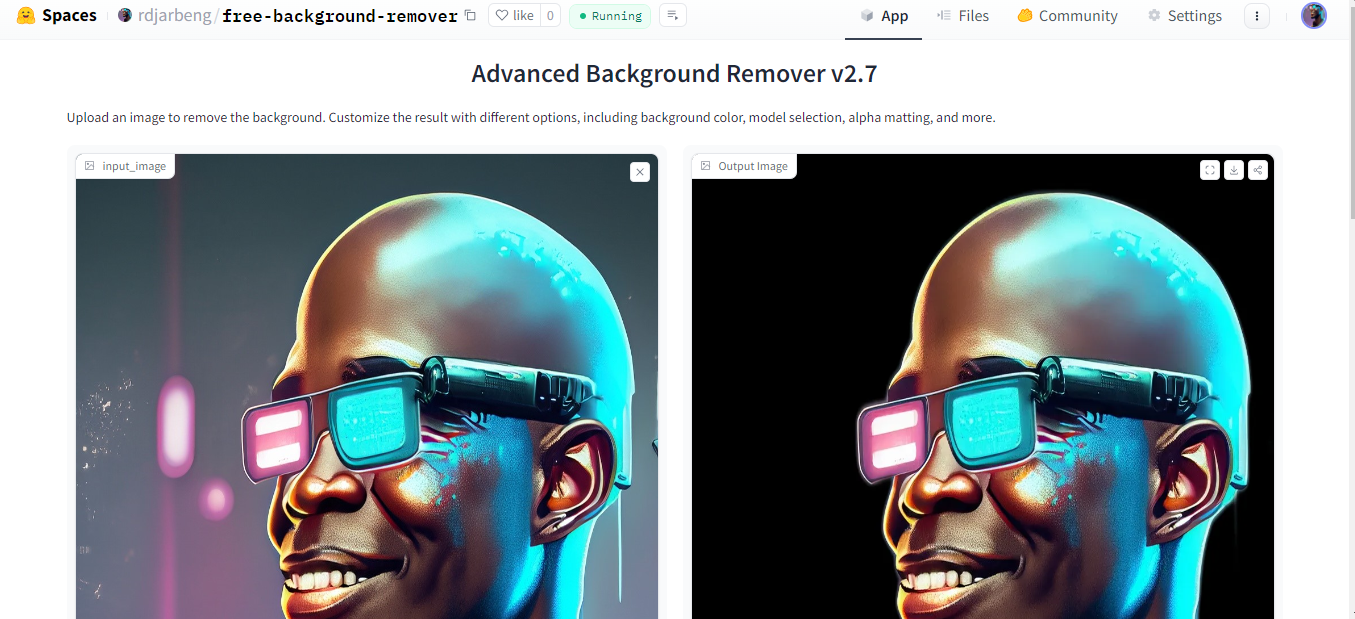
Why I built it
I wanted to change the background of my LinkedIn profile picture. My professional headshot had a grey background and I wanted a white one. I searched online for tools that remove backgrounds and found some, but none of them let me export the picture in HD without paying.
Then I thought, hold on a minute. I had just spent six months working with computer vision applications from Carnegie Mellon, so surely I could write a script that does this. I found the rembg package, which already removes backgrounds. All that was left was filling the empty pixels with a color of my choice.
Here is the headshot with the grey and white backgrounds side by side:
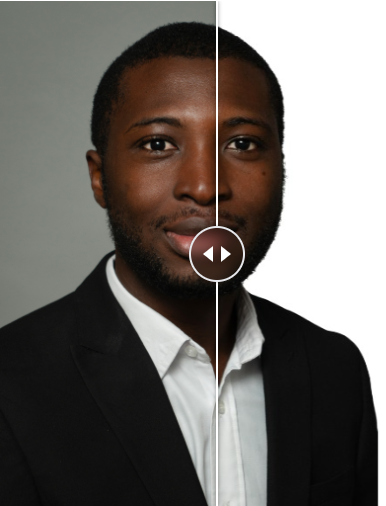
The script worked on my PC, but plenty of people don't have access to a tool like that, so I decided to host it online. I deployed it on Hugging Face as the Free Background Remover. Later I added more models in case the default one isn't good enough for a particular image, and I added options for other kinds of portraits, such as 2D anime characters used as profile pictures. I also added transparent output.
Did it work? Look at my LinkedIn profile picture and see whether the headshot has a white background. I've also added a screenshot of my profile below, in case the picture changes by the time you read this.
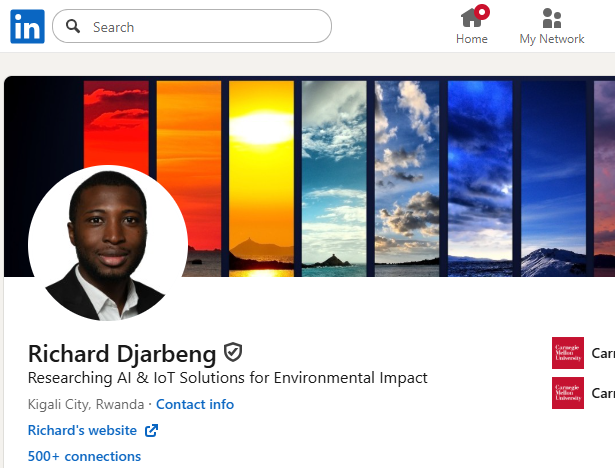
How it works
The app uses the rembg library to run the segmentation models, with a Gradio interface on top. It's deployed on Hugging Face, so it works in any browser without installation. Processing happens on the server and takes a few seconds.
How people use it
I've found that many users change the background of their photos when an application requires a specific one, such as blue or green. That saves them from finding a matching backdrop and retaking the photo. It's also popular with people who want transparent images, for one reason or another.
Community buzz
I shared the app on X (formerly Twitter), and it got a repost from Hugging Face CEO Clément Delangue (@ClementDelangue). Here's the original post:
Deployed this background remover on Hugging face some time ago.
Used it to change my profile picture background without losing quality. Other sites required payment to maintain the original image quality.
[Before/after image attached]
Richard Djarbeng (@DjarbengRichard), Dec 12, 2024
Link to post
I don't have a way to track how many people use the app, but there is one hint. Before I posted about it, the space would go idle after a stretch of inactivity, and the next visitor had to wait for it to boot. It hasn't hibernated since launch and now loads right away every time, which may mean regular users are keeping it awake.
Technical details and features
You drag and drop an image (JPG, PNG, and other common formats). For the background, you can pick a solid color, such as white (#FFFFFF), or choose transparent to have no background at all. Transparent is handy for presentations. You can also enable alpha matting for smoother edges, post-process the mask, or extract only the mask. The preview updates in real time, and to save the result you right-click the output and download it as a PNG at full resolution. There are no watermarks or paywalls.
You can also choose between several pre-trained models:
- u2net: the general-purpose default
- isnet-general-use: better accuracy across a broad range of images
- isnet-anime: built for anime-style characters
- silueta: a 43MB version of u2net that processes faster
- unet: a lightweight general segmentation model
- u2netp: a lighter variant for quick results
- u2net_human_seg: focused on human subjects
- u2net_cloth_seg: for clothing in portraits
License: This project is licensed under the Apache License 2.0.
Limitations
The app struggles with complex logos. Segmentation can leave overlaps or artifacts, especially between the letters. If you know of a model that handles logos better, I'd like to hear about it.
Related projects
ComfyUI-RMBG brings background removal into ComfyUI pipelines.
If you need more features, there are alternatives:
- Adobe Express Background Remover (requires an Adobe account)
- Remove.bg (limited free usage)
References
This Space is built on the rembg library, which draws on the following research papers:
1. U2-Net: Salient Object Detection
Paper: U2-Net: Going Deeper with Nested U-Structure for Salient Object Detection
@article{qin2020u2net,
  title={U2-Net: Going Deeper with Nested U-Structure for Salient Object Detection},
  author={Qin, Xuebin and Zhang, Zichen and Huang, Chenyang and Dehghan, Masood and Zaiane, Osmar R and Jagersand, Martin},
  journal={arXiv preprint arXiv:2005.09007},
  year={2020}
}
2. DIS: Dichotomous Image Segmentation
Paper: Highly Accurate Dichotomous Image Segmentation
@article{qin2022highly,
  title={Highly Accurate Dichotomous Image Segmentation},
  author={Qin, Xuebin and Dai, Hang and Hu, Xiaobin and Fan, Deng-Ping and Shao, Ling and Van Gool, Luc},
  journal={arXiv preprint arXiv:2203.03041},
  year={2022}
}
Made for the open-source community.
Update for Windows users (September 2025)
The Windows Photos-Designer app now has built-in background removal. I originally built this app to get around paid HD exports, and it's still live on Hugging Face.
You can also embed the app directly: