
Fixing the Git Error: RPC Failed; curl 92 HTTP/2 Stream Not Closed Cleanly
If you've encountered the following error while using Git, you're not alone:
error: RPC failed; curl 92 HTTP/2 stream 5 was not closed cleanly before end of the underlying stream

error: 7844 bytes of body are still expected

fetch-pack: unexpected disconnect while reading sideband packet

fatal: early EOF

fatal: unpack-objects failed

Here's how I resolved this issue.
Solution That Worked for Me
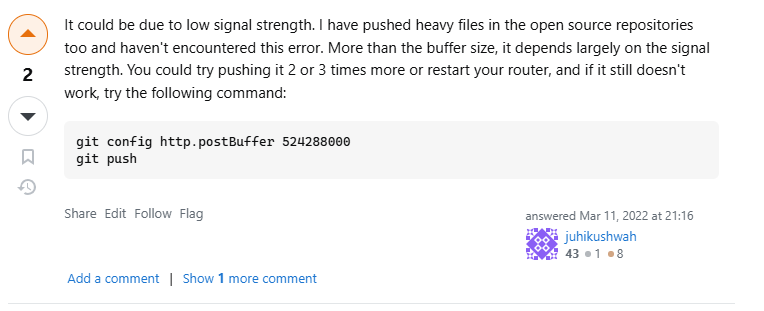
The solution that worked for me was increasing Git's http.postBuffer size. This configuration adjusts the buffer size used by Git when sending data over HTTP, which can help when dealing with large repositories or unstable connections.
Run the following command in your terminal:
git config http.postBuffer 524288000
This sets the buffer size to 500 MB, which is often sufficient to resolve this issue. Note that this command applies only to the current repository. If you'd like to apply it globally across all repositories, add the --global flag:
git config --global http.postBuffer 524288000
Acknowledgment
This solution was inspired by a helpful answer from Juhikushwah on Stack Overflow. You can find more details on their post here.
Conclusion
The RPC failed error can be frustrating, but adjusting Git's buffer size often resolves it quickly.
Citations:
Up next: Part 3 of 9 in Quick Tech Fixes
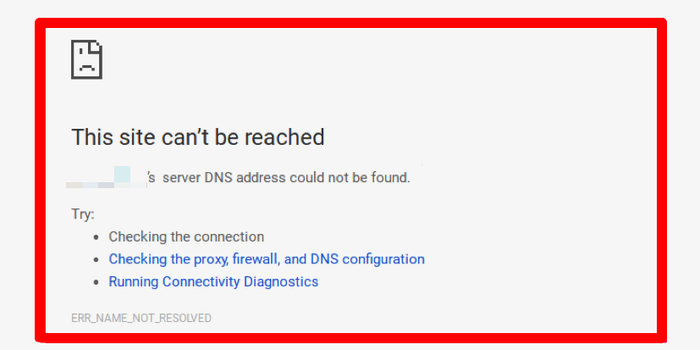
How to Fix ERR_NAME_NOT_RESOLVED and DNS_PROBE_FINISHED_BAD_CONFIG Errors in Google Chrome due to DNS
If you're encountering the ERR NAME NOT RESOLVED or DNS PROBE FINISHED BAD CONFIG errors in Google Chrome, these are typically caused by issues with your DNS (Domain Name System)...

